> ## Documentation Index
> Fetch the complete documentation index at: https://domoinc-bradley-turek-pfilter-operators-reference.mintlify.site/llms.txt
> Use this file to discover all available pages before exploring further.
# Activity Log
export const BetaNote = ({generic = false}) =>
Note:{" "}
{generic ? "" : "This feature is in beta. "}
Beta Program participants can enable features{" "}
here. To join the
Beta Program, fill out{" "}
this form. For beta
questions or feedback, email{" "}
beta.admin@domo.com.
;
## Intro
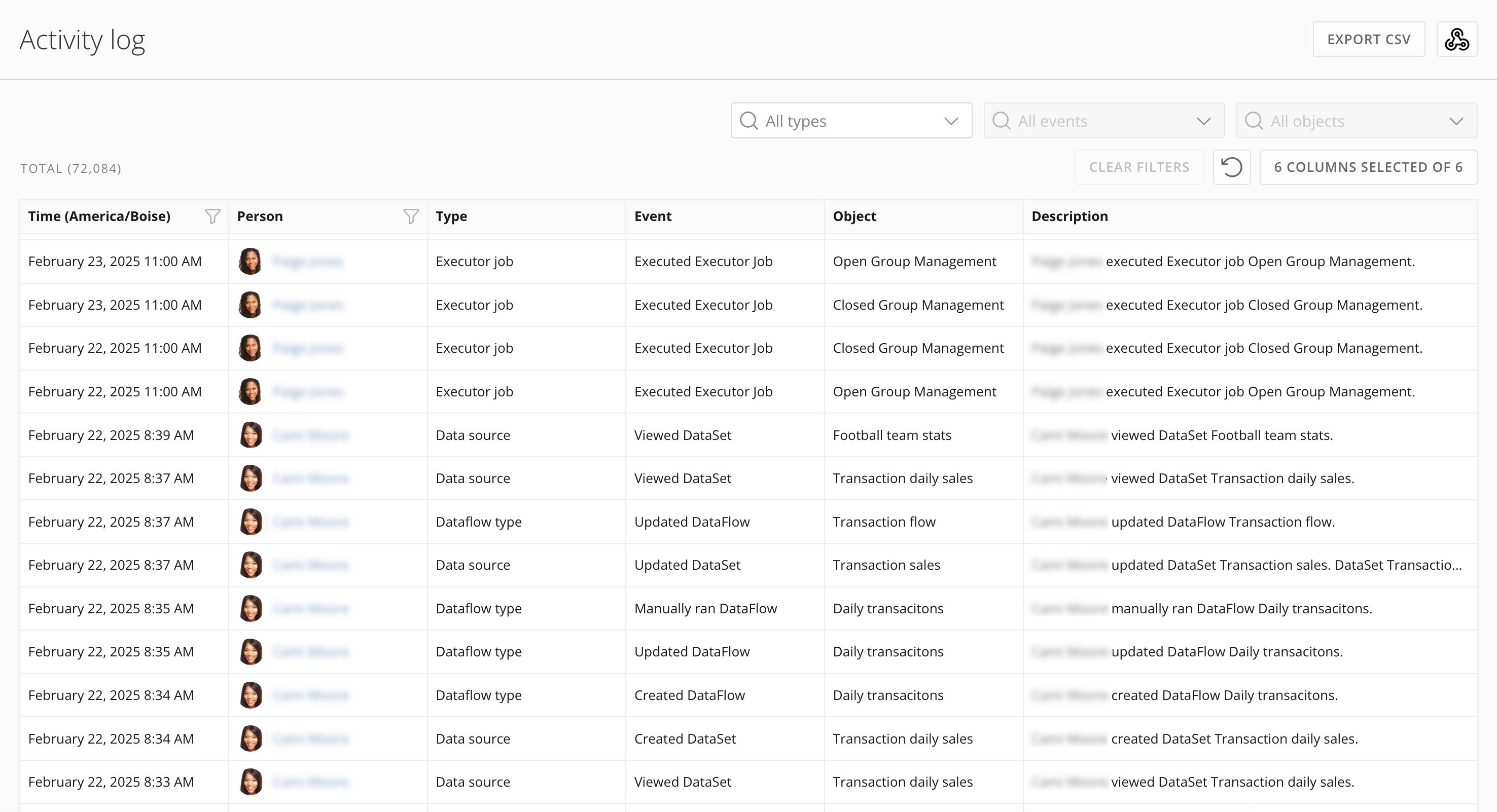
The Activity log allows Domo administrators to see how their users are using Domo. They can see a near real-time record of activities such as user logins, dashboard views, groups created, and more.
Admins can view Activity Log entries in the Domo UI and export them to a CSV file or send them to a webhook. Activity Log data is also available in the [DomoStats](/s/article/360043433813) Activity Log report.
***
## Access Activity Log
**Important:** You can only view the Activity log if you have an Admin system role or a custom role with the View Activity Logs grant enabled. Learn more about [roles and grants](/s/article/360043438973).
You can access the Activity log from the Admin Settings (**More** > **Admin**). Under **Governance**, select **Activity log**.
The Activity log page displays.
 ## Using the Log
The Activity log is updated in near real-time and includes activities logged within the rolling one-year period. You can explore the log with filters on the date range and the person who took the action. In addition, filters on type, event, and object can be applied to find specific activities. When you first load the Activity log, the data is filtered to a rolling 24-hour window.
**Refresh the log:** Selecting
## Using the Log
The Activity log is updated in near real-time and includes activities logged within the rolling one-year period. You can explore the log with filters on the date range and the person who took the action. In addition, filters on type, event, and object can be applied to find specific activities. When you first load the Activity log, the data is filtered to a rolling 24-hour window.
**Refresh the log:** Selecting  **Refresh** reloads the log, displaying events logged since the page was last loaded.
This table describes the available filters:
| Filter | Description |
| ------ | --------------------------------------------------------------------------------------------------------------------------------------------------------------------------------------------------------------------------------------------------------------------------------------------------------------------------------------------------------------------------------------------------------------------------------------------------------------------------------------------------------------------------------------------------------------------------------------------------------------------------------------------------------------------------------------------------------------------------------------------------------------------------------------------------------------------------------------------------------------------------------------------------------------------------------------------------------------------------------------------------------------------------------------------------------------------------------------------------------------------------------------------------------------------------------------------------------------------------------------------------------------------------------------------------------------------------------------------------------------------------------------------------------------------------------------------------------------------------------------------------------------------------------------------------------------------------------------------------------------------------------------------------------------------------------------------------------------------------------------------------------------------------------------------------------------------------------------------------------------------------------------------------------------------------------------------------------------------------------------------------------------------------------------------------------------------------------------------------------------------------------------------------------------------------------------------------------------------------------------------------------------------------------------------------------------------------------------------------------------------------------------------------------------------------------------------------------------------------------------------------------------------------------------------------- |
| Time | Filter for any date or range of dates.
**Refresh** reloads the log, displaying events logged since the page was last loaded.
This table describes the available filters:
| Filter | Description |
| ------ | --------------------------------------------------------------------------------------------------------------------------------------------------------------------------------------------------------------------------------------------------------------------------------------------------------------------------------------------------------------------------------------------------------------------------------------------------------------------------------------------------------------------------------------------------------------------------------------------------------------------------------------------------------------------------------------------------------------------------------------------------------------------------------------------------------------------------------------------------------------------------------------------------------------------------------------------------------------------------------------------------------------------------------------------------------------------------------------------------------------------------------------------------------------------------------------------------------------------------------------------------------------------------------------------------------------------------------------------------------------------------------------------------------------------------------------------------------------------------------------------------------------------------------------------------------------------------------------------------------------------------------------------------------------------------------------------------------------------------------------------------------------------------------------------------------------------------------------------------------------------------------------------------------------------------------------------------------------------------------------------------------------------------------------------------------------------------------------------------------------------------------------------------------------------------------------------------------------------------------------------------------------------------------------------------------------------------------------------------------------------------------------------------------------------------------------------------------------------------------------------------------------------------------------------------- |
| Time | Filter for any date or range of dates.
**Note:** The Activity log contains events within the rolling one-year window. When you first load the Activity log, the data is filtered to a rolling 24-hour window. |
| Person | Allows filtering for `All Users` or for a single person at a time. |
| Type | Allows filtering for `All Types` or for a single object type (such as card, dashboard, account).
To filter for a specific Event or Object, a filter must first be applied to the Type. Available filter values in the Event and Object filters are limited by the selection of the Type filter. |
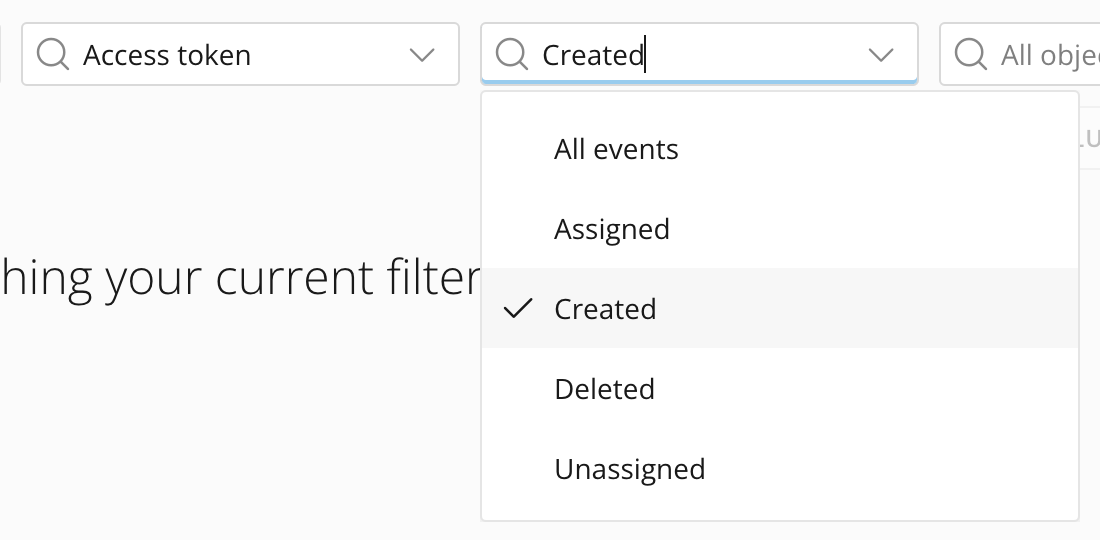
| Event | Allows you to filter instance data for `All Events` or for a single event at a time.
To filter for a specific Event, a filter must first be applied to the Type. The selection of the Type filter limits the available filter values in the Event filter.
*Example: **Access token** > **Created***.
 |
| Object | Allows you to filter instance data for `All Objects` or for a single object at a time.
|
| Object | Allows you to filter instance data for `All Objects` or for a single object at a time.
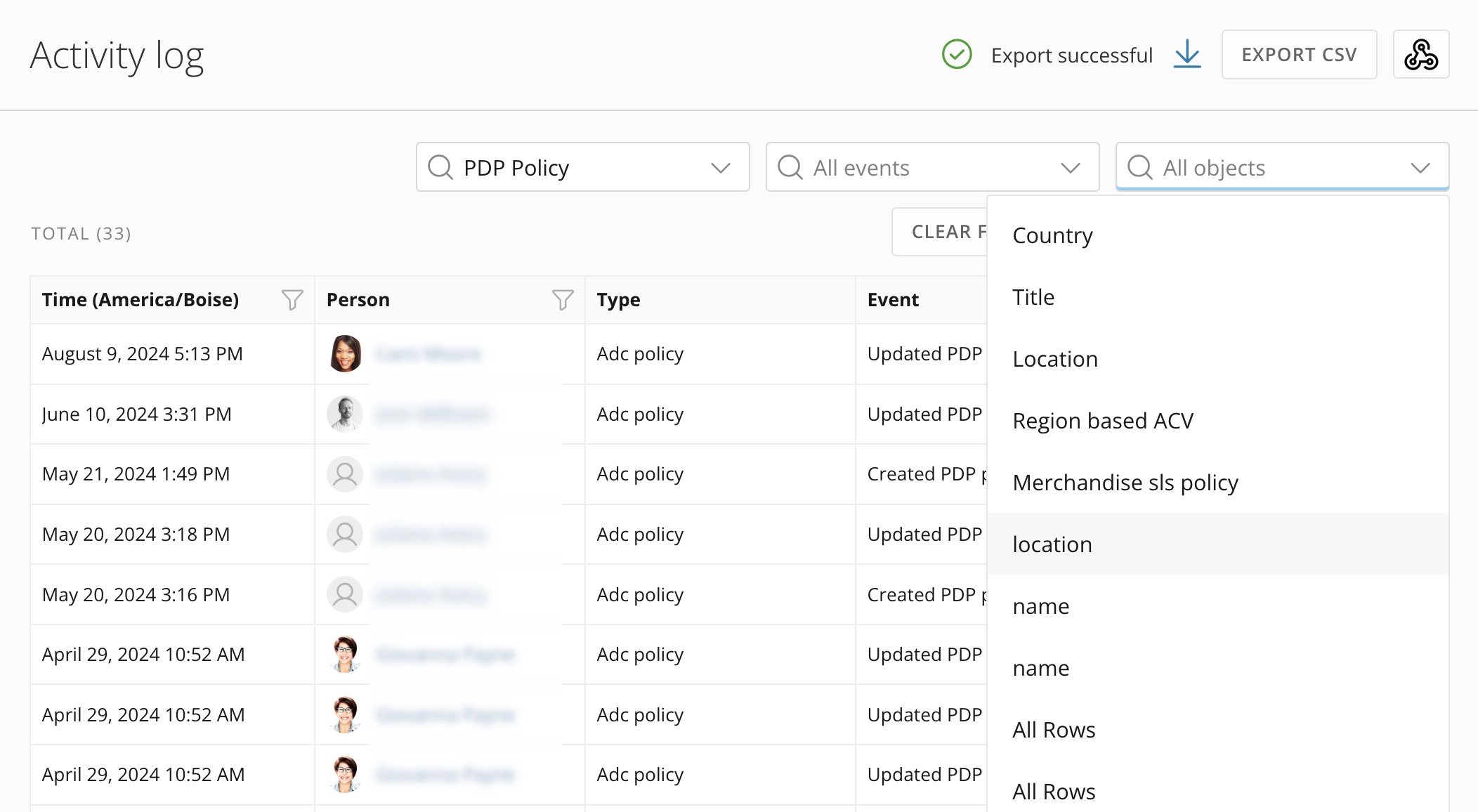
To filter for a specific Object, a filter must first be applied to the Type. The selection of the Type filter limits the available filter values in the Object filter.
For example, if you select **PDP Policy** from the list, a menu of selectable PDP policies displays. Select a policy to filter the data to show only rows for that policy.
 |
## DomoStats Report Available
|
## DomoStats Report Available
 For more extensive analysis of user activity, we recommend installing the
DomoStats Activity Log report. This report loads a rolling 30-day window of
activities the first time it executes; each subsequent execution of the report
loads and appends only the activities logged since the last time the report was
executed (up to the last 30 days' worth of activities).
The DomoStats Activity Log report allows building a long-running history of user activity in Domo. Learn more about the [DomoStats connector](/s/article/360043433813) and the [Activity Log report](/s/article/360043433813) in the Knowledge Base.
## Export to CSV
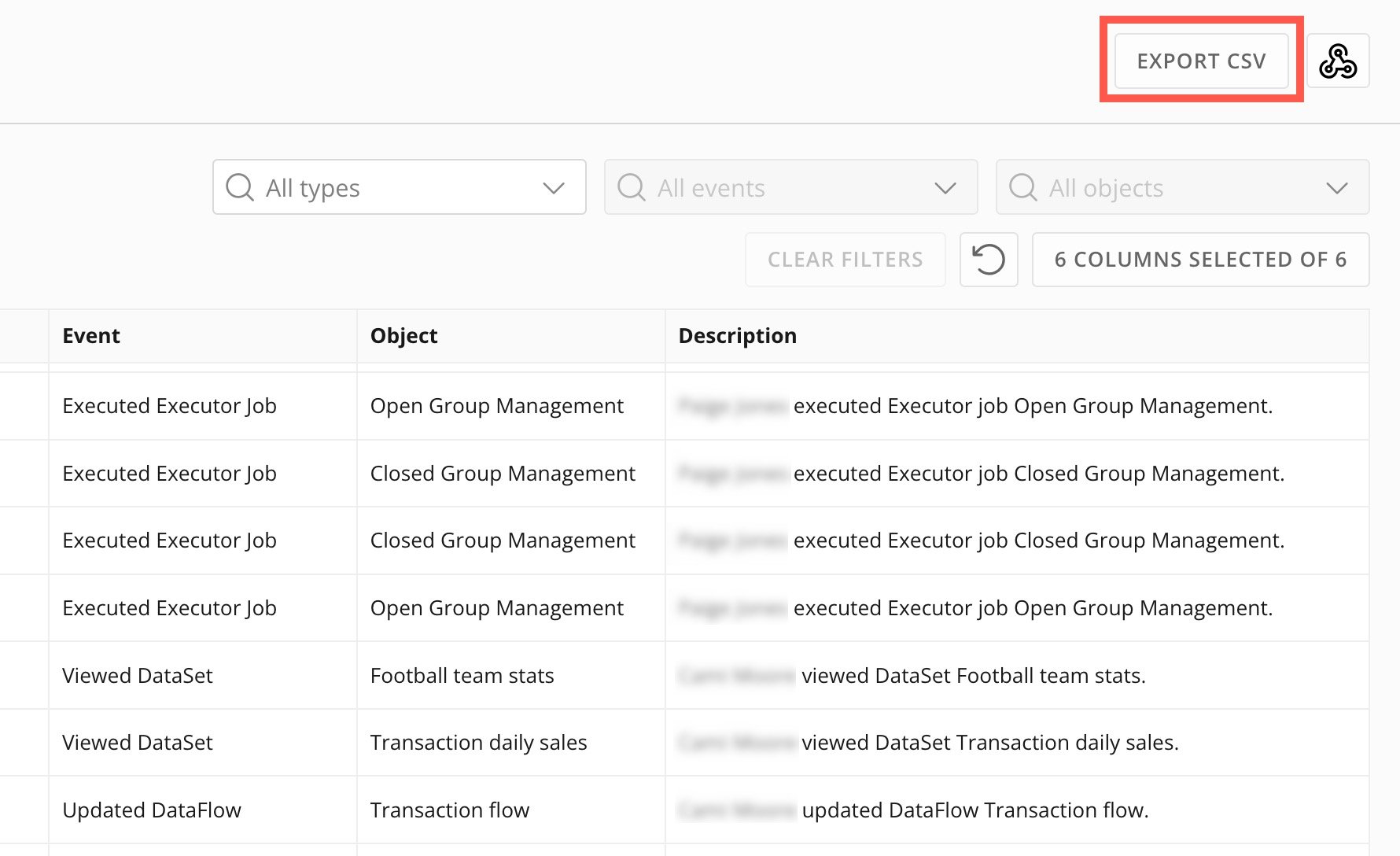
You can export the Activity log for your instance to a CSV file by selecting **Export CSV**.
For more extensive analysis of user activity, we recommend installing the
DomoStats Activity Log report. This report loads a rolling 30-day window of
activities the first time it executes; each subsequent execution of the report
loads and appends only the activities logged since the last time the report was
executed (up to the last 30 days' worth of activities).
The DomoStats Activity Log report allows building a long-running history of user activity in Domo. Learn more about the [DomoStats connector](/s/article/360043433813) and the [Activity Log report](/s/article/360043433813) in the Knowledge Base.
## Export to CSV
You can export the Activity log for your instance to a CSV file by selecting **Export CSV**.
 The download process may take from a few seconds to several minutes, depending
on the number of logs in your instance. When the download is successful, an
**Export successful** message displays.
Then, select
The download process may take from a few seconds to several minutes, depending
on the number of logs in your instance. When the download is successful, an
**Export successful** message displays.
Then, select  **Download** to download the CSV file to your machine.
 **Important:** The log exports based on the filters you have configured at the time of export.
For example, if your **Time** filter is set to **Past 24 hours**, the export file only contains data from the past 24 hours. If your export file does not contain all the data you expected, check your filter configuration and re-export if necessary.
## Send Events to a Webhook Beta
You can send log events to a webhook, sharing events with a third-party system and consolidating auditing across your enterprise.
You need the following items to configure this feature:
* The URL of a webhook that accepts an HTTP POST request containing a JSON body with the event details.
* A secret key. This is required for the configuration in Domo. If your webhook doesn't require a secret, you can enter any value in this field.
* The list of event types to send to the webhook.
* (Optional) An authorization header, if required by your webhook. For example, "Bearer ABC123DEF356."
* (Optional) An OAuth client ID/secret, if required by your webhook.
After obtaining these items, follow the configuration steps below.
1. [Access](#access-activity-log) the Activity log.
2. Select
**Important:** The log exports based on the filters you have configured at the time of export.
For example, if your **Time** filter is set to **Past 24 hours**, the export file only contains data from the past 24 hours. If your export file does not contain all the data you expected, check your filter configuration and re-export if necessary.
## Send Events to a Webhook Beta
You can send log events to a webhook, sharing events with a third-party system and consolidating auditing across your enterprise.
You need the following items to configure this feature:
* The URL of a webhook that accepts an HTTP POST request containing a JSON body with the event details.
* A secret key. This is required for the configuration in Domo. If your webhook doesn't require a secret, you can enter any value in this field.
* The list of event types to send to the webhook.
* (Optional) An authorization header, if required by your webhook. For example, "Bearer ABC123DEF356."
* (Optional) An OAuth client ID/secret, if required by your webhook.
After obtaining these items, follow the configuration steps below.
1. [Access](#access-activity-log) the Activity log.
2. Select
 **Activity Log Webhook Configuration**.
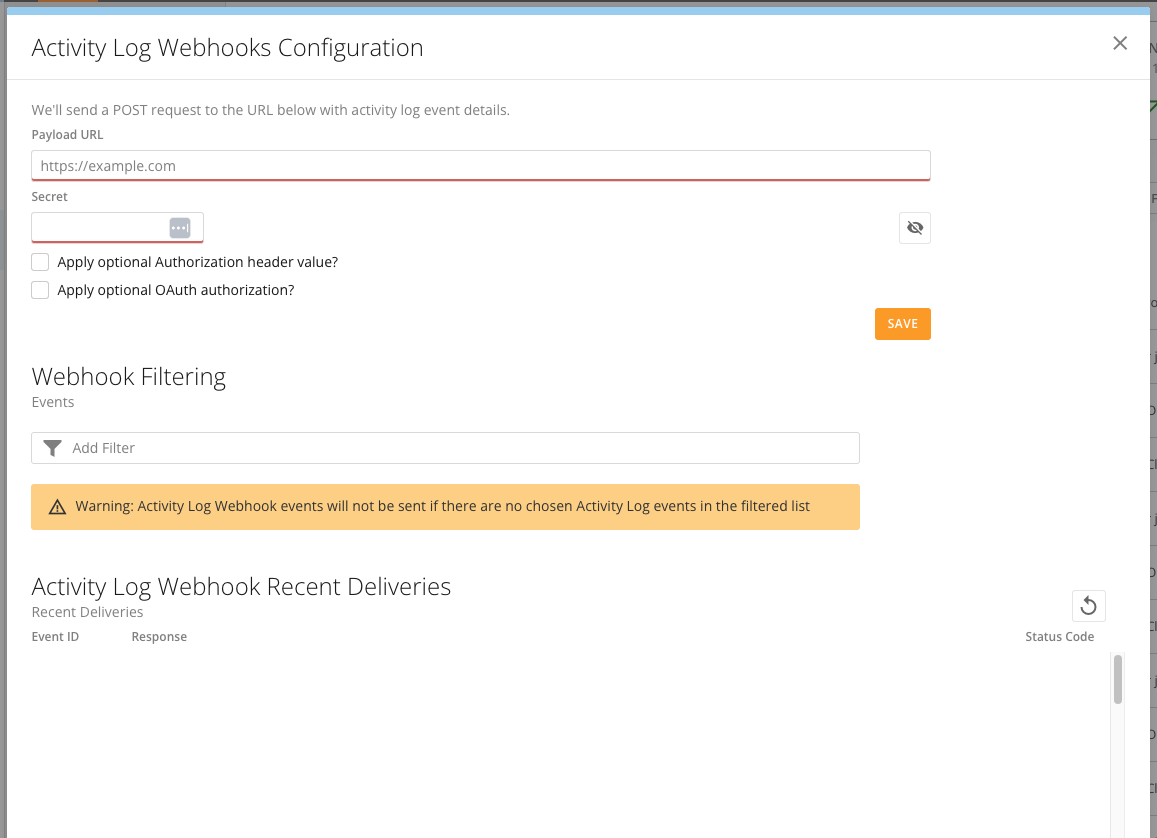
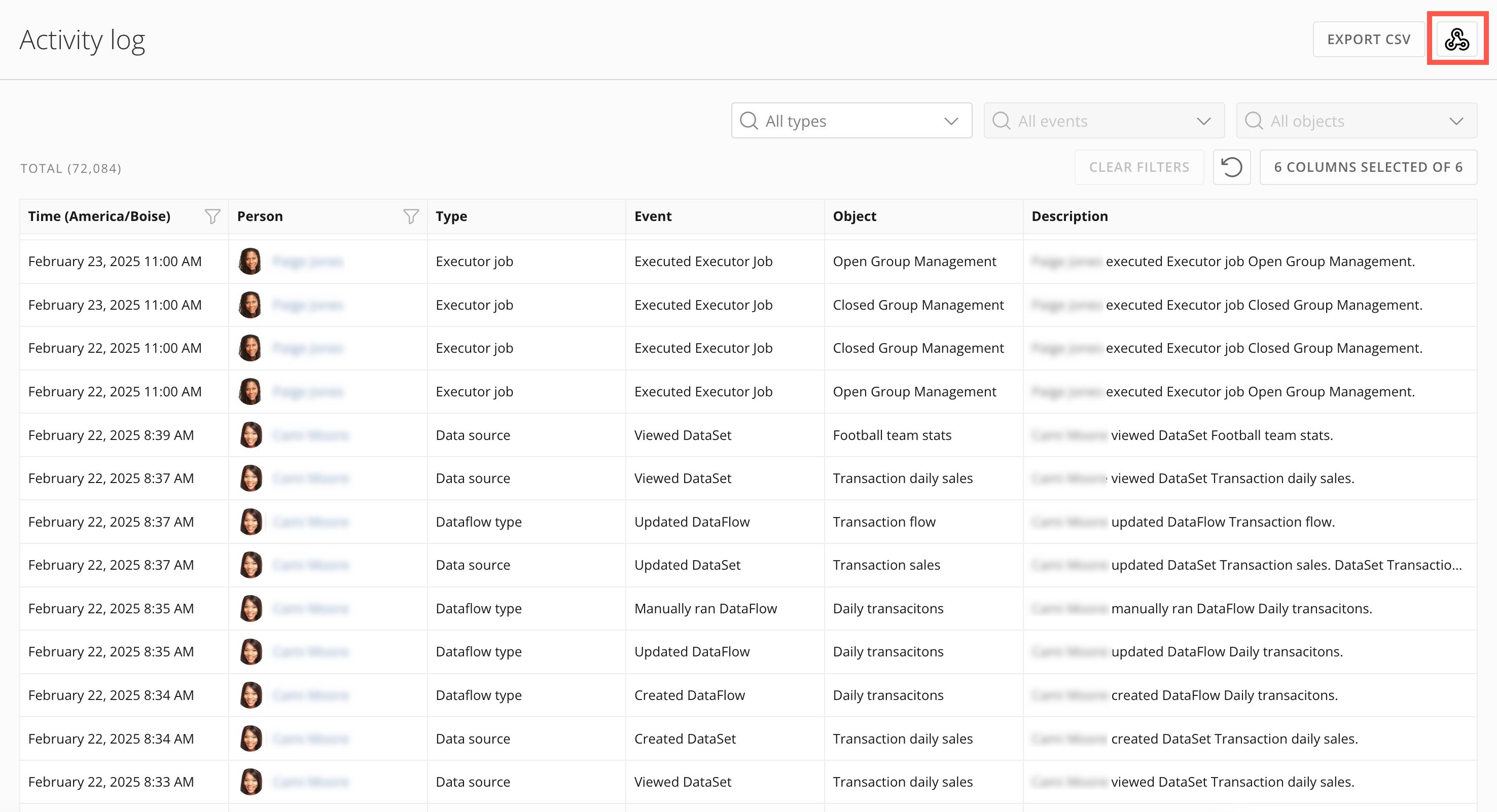 The webhook configuration modal displays.
 3. In the modal, fill in the following fields:
* **Payload URL —** This is the destination webhook URL where the Activity log events should be sent.
* **Secret —** The secret allows the webhook to verify that the data being sent to the payload URL came from this instance of Domo. You can select
3. In the modal, fill in the following fields:
* **Payload URL —** This is the destination webhook URL where the Activity log events should be sent.
* **Secret —** The secret allows the webhook to verify that the data being sent to the payload URL came from this instance of Domo. You can select  **Show secret/Hide secret**.
**Note:** Domo requires a secret key. However, if your webhook doesn't require a secret, you can enter any value in this field.
4. (Optional) Check the box labeled **Apply optional Authorization header value?** and enter your webhook authorization header value in the **Authorization header** field. For example, "Bearer ABC123DEF356."
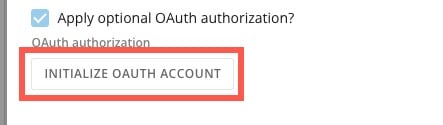
5. (Optional) Check the box labeled **Apply optional OAuth authorization?**
* If you check the box, select **Initialize OAuth Account**. This opens the **Select account** modal where you can apply all the necessary OAuth headers for the webhook's requests to access the payload URL's resources. Follow the steps below.
**Show secret/Hide secret**.
**Note:** Domo requires a secret key. However, if your webhook doesn't require a secret, you can enter any value in this field.
4. (Optional) Check the box labeled **Apply optional Authorization header value?** and enter your webhook authorization header value in the **Authorization header** field. For example, "Bearer ABC123DEF356."
5. (Optional) Check the box labeled **Apply optional OAuth authorization?**
* If you check the box, select **Initialize OAuth Account**. This opens the **Select account** modal where you can apply all the necessary OAuth headers for the webhook's requests to access the payload URL's resources. Follow the steps below.
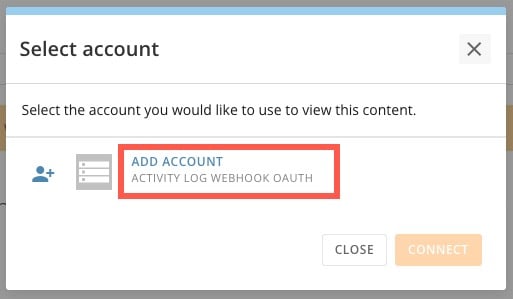
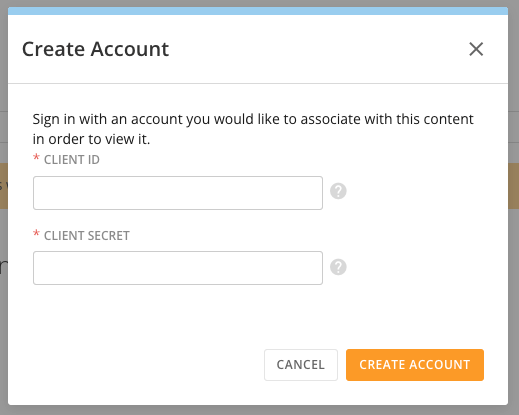
 In the **Select account** modal, choose the account you want to use to view
this content and choose one of the following: 1. Select **Connect** 2.
Select **Add Account** to add the client ID and client secret for a new
account; then select **Create Account**.
In the **Select account** modal, choose the account you want to use to view
this content and choose one of the following: 1. Select **Connect** 2.
Select **Add Account** to add the client ID and client secret for a new
account; then select **Create Account**.
 6. In the webhook configuration modal, select **Save** to keep your configuration.
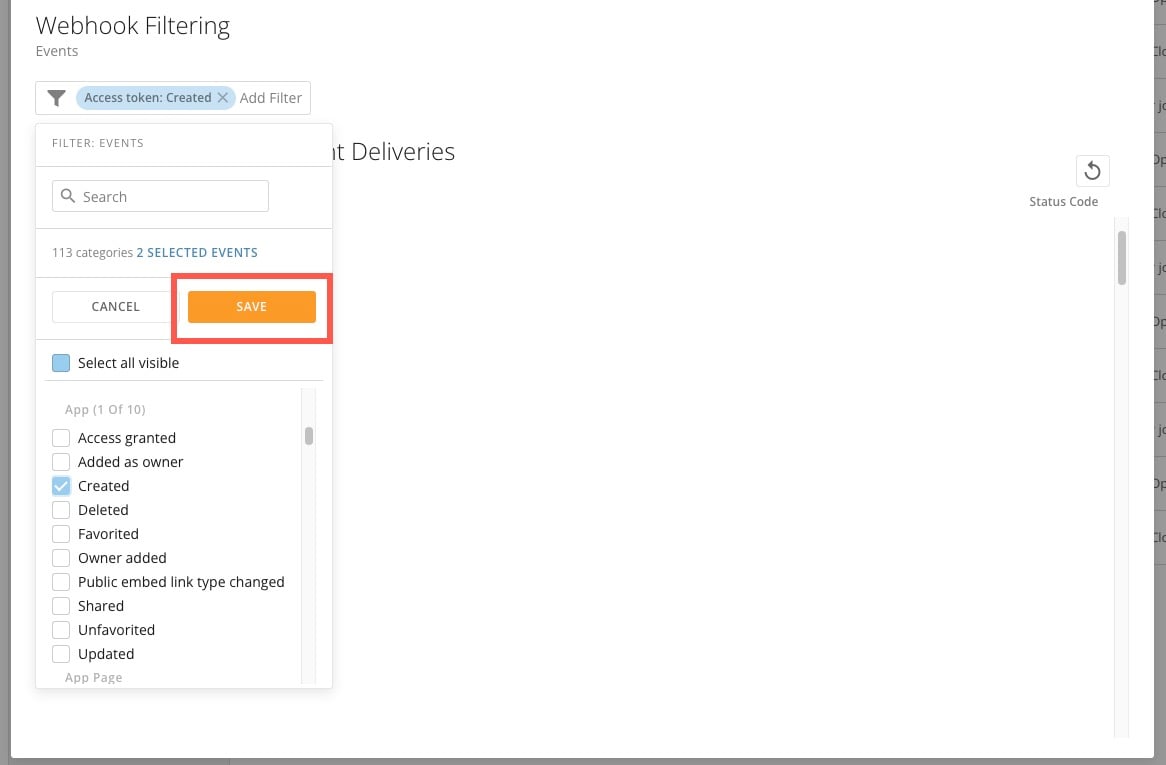
 7. In the modal under **Webhook Filtering**, click into the **Add Filter** field.
8. Search for and select the events you want to send to the payload URL. After selecting all your desired events, select **Save**.
**Important:** Only the event types selected in **Webhook Filtering** are sent to the webhook.
7. In the modal under **Webhook Filtering**, click into the **Add Filter** field.
8. Search for and select the events you want to send to the payload URL. After selecting all your desired events, select **Save**.
**Important:** Only the event types selected in **Webhook Filtering** are sent to the webhook.
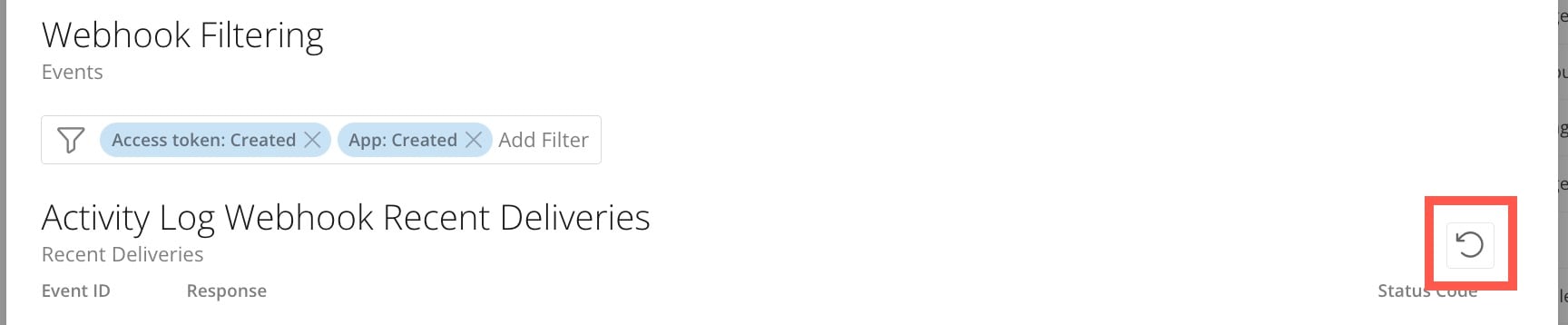
 The list of recently delivered webhooks displays at the bottom of the modal.
After at least one delivery, you can select
**Refresh** to see the most recent data.
The list of recently delivered webhooks displays at the bottom of the modal.
After at least one delivery, you can select
**Refresh** to see the most recent data.
 Your webhook configuration is now complete and will start receiving events
shortly. Each event is only sent once; if it cannot be delivered for any reason,
it is not re-sent.
## Stop Sending Events to a Webhook
To stop sending activity log events to the webhook, select **Activity Log Webhook Configuration** to open the webhook configuration modal.
In the modal above the payload URL, select
Your webhook configuration is now complete and will start receiving events
shortly. Each event is only sent once; if it cannot be delivered for any reason,
it is not re-sent.
## Stop Sending Events to a Webhook
To stop sending activity log events to the webhook, select **Activity Log Webhook Configuration** to open the webhook configuration modal.
In the modal above the payload URL, select  **Delete**.