

Intro
ServiceNow is a software platform that supports IT service management and automates common business practices. You can combine your ServiceNow data with data from other systems in Domo to see the end-to-end customer experience and fix any issues faster. Get a quick, interactive view of all your data, fully integrated, to help you spend less time gathering data and make faster, better business decisions. You can connect to your ServiceNow Enterprise OAuth Configuration account in the Data Center. This topic discusses the fields and menus that are specific to the ServiceNow Enterprise OAuth Configuration connector user interface. To add DataSets, set update schedules, and edit DataSet information, see Adding a DataSet Using a Connector.Prerequisites
To connect to your ServiceNow Enterprise OAuth Configuration account and create a DataSet, you need the following:- OAuth Configuration
- Instance Name
How to Create OAuth Configuration in the Domo instance
To create an OAuth configuration:- Log into the customer’s Domo instance.
- Navigate to
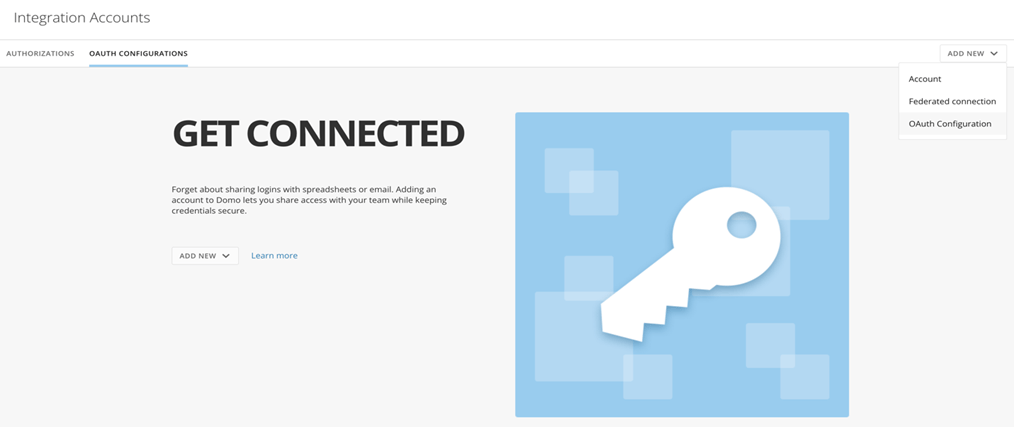
https://{customerdomain}.domo.com/datacenter/accounts. - Add New OAuth Configuration.
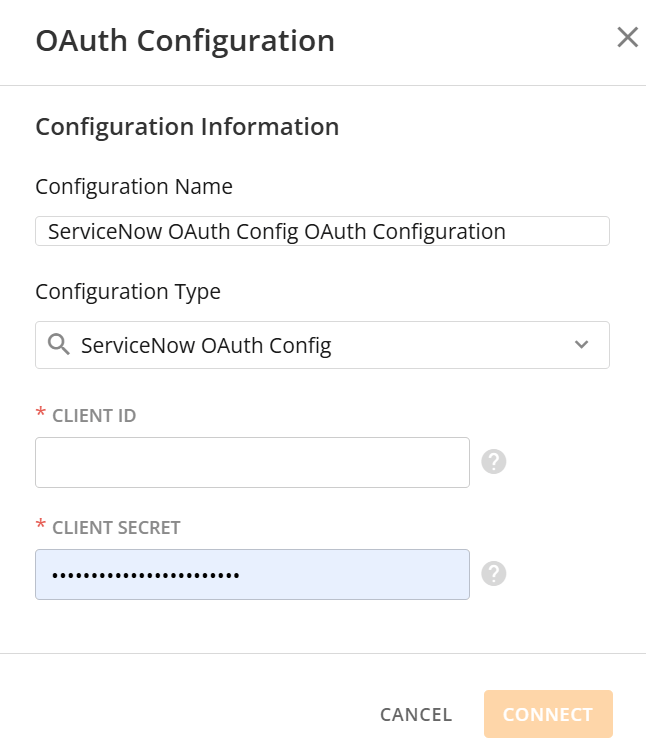
- Select the ServiceNow****OAuth Config Configuration Type from the drop-down list.
- Enter the client id and secret generated through an incoming link, described below.
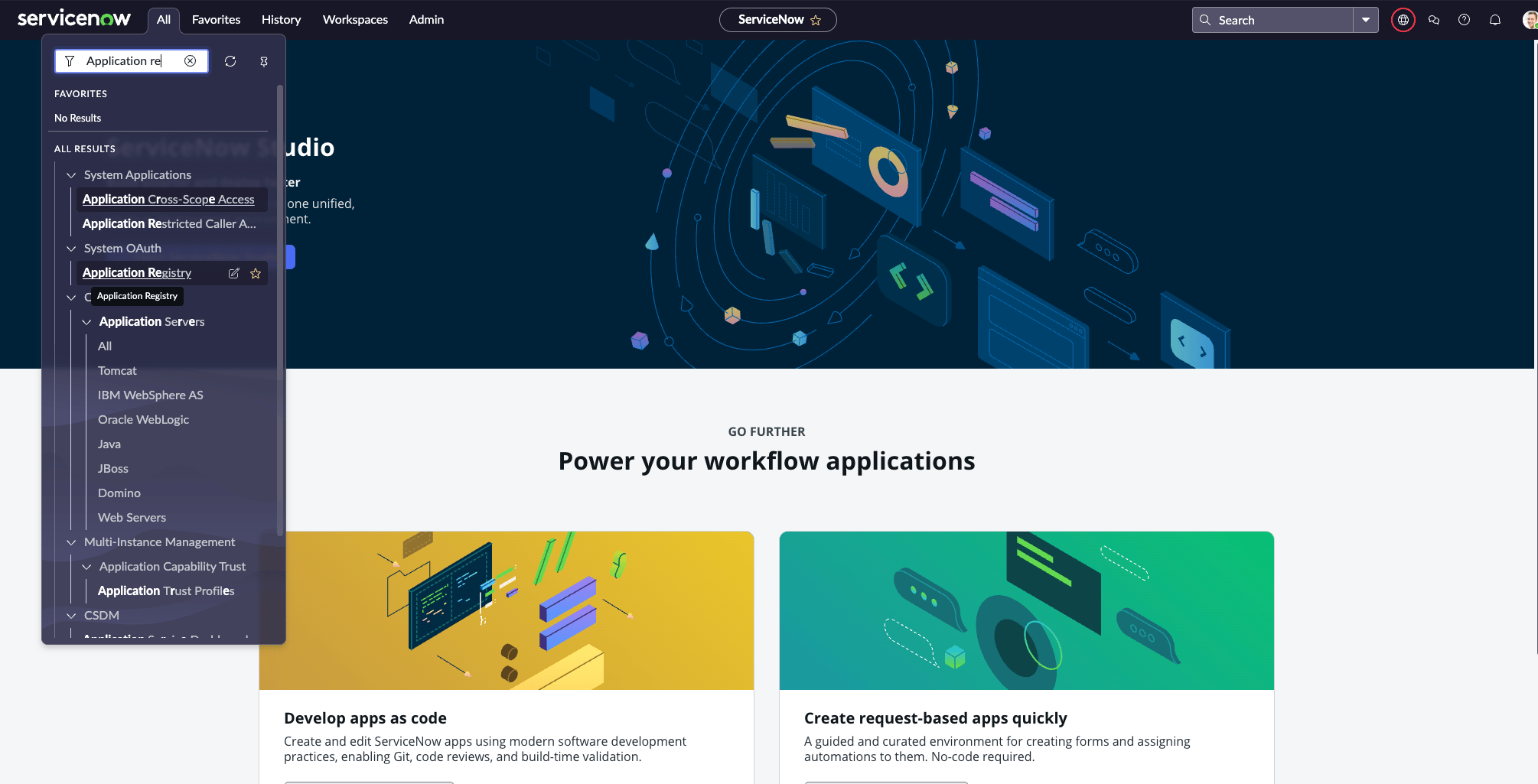
- In the left All Navigator, enter System OAuth in the search bar.
-
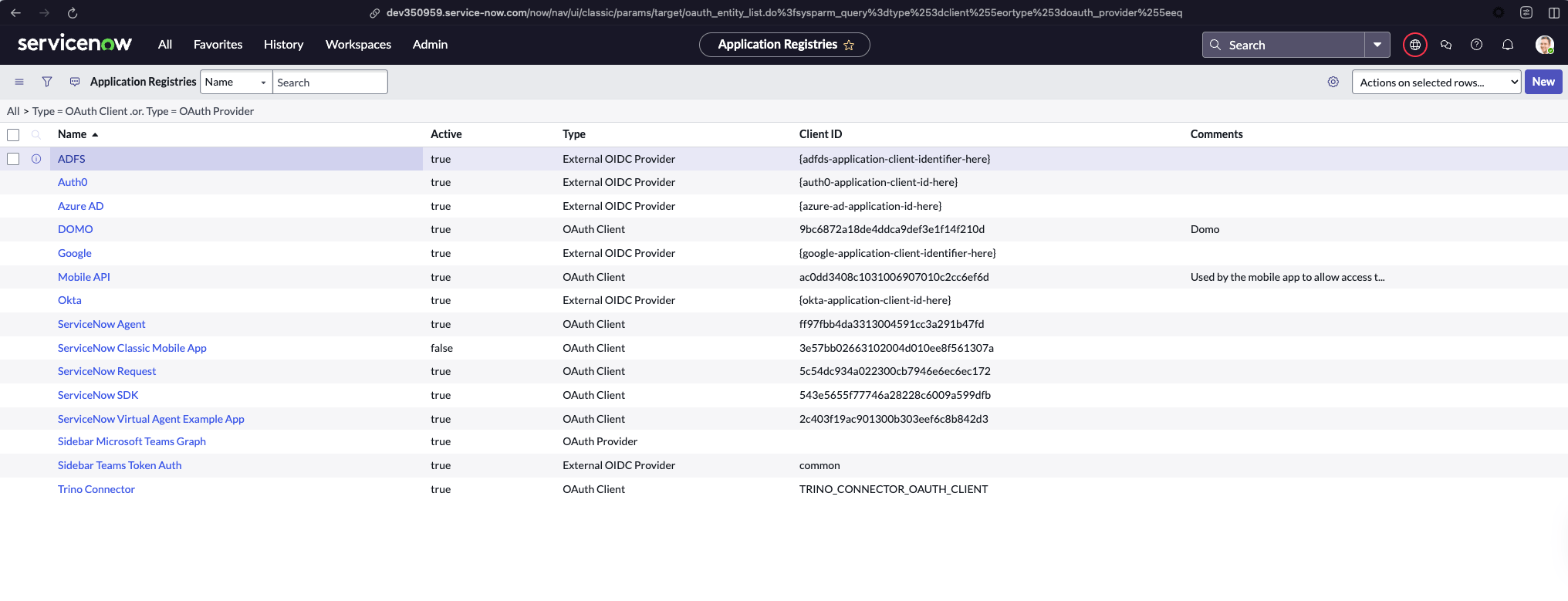
Select Application Registry. To navigate, select System OAuth > Application Registry.
-
Create a New OAuth application.
-
Select Create an OAuth API endpoint for external clients.

-
For the Redirect URLfield, enter this link https://oauth.domo.com/api/data/v1/oauth/providers/servicenow-enterprise-oauth-configuration/exchange.
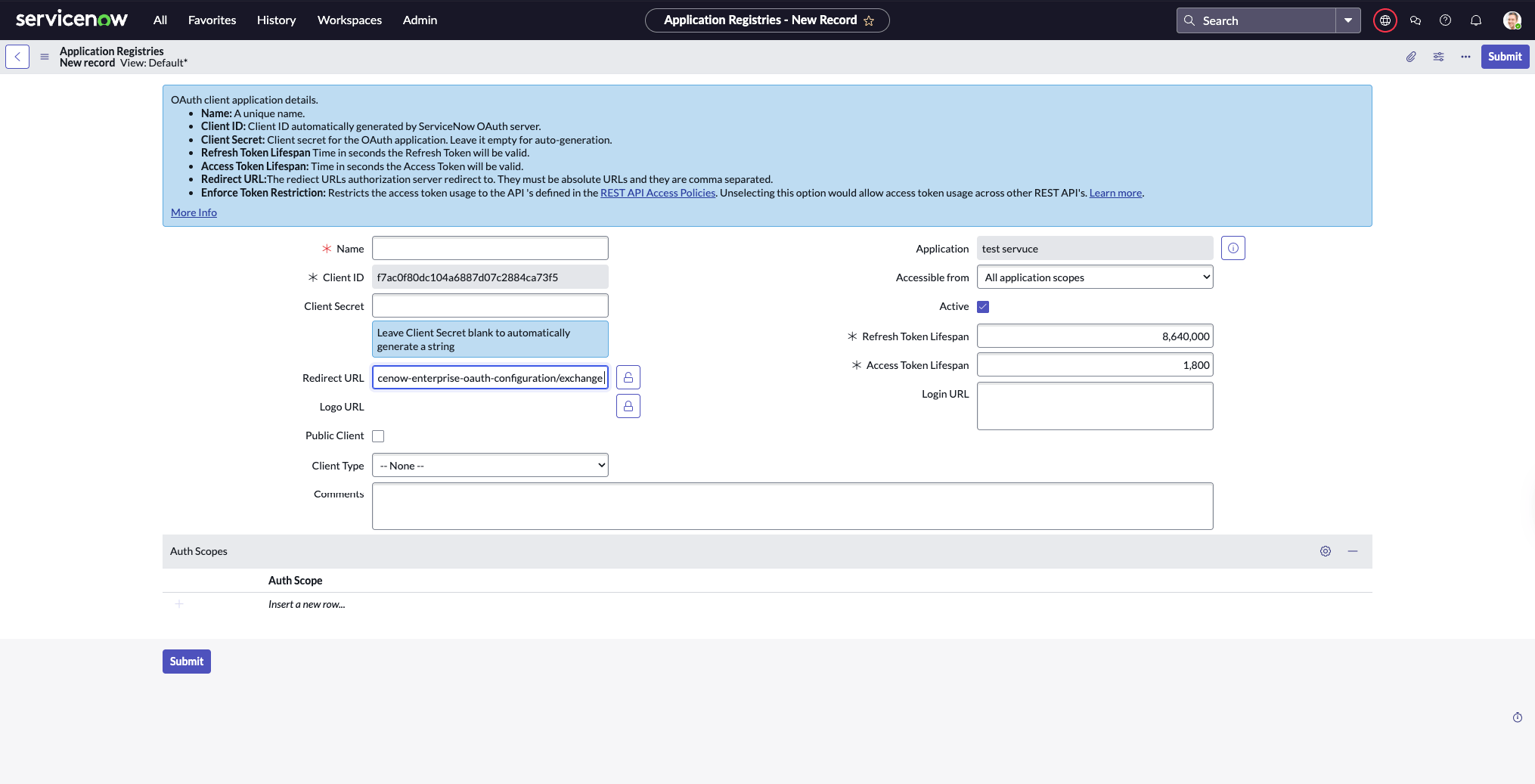
- Navigate to System OAuth > Application Registry.
2 . Find and select the application you are interested.
Connecting to Your ServiceNow Enterprise OAuth Configuration Account
This section enumerates the options in the Credentials and Details panes on the ServiceNow Enterprise OAuth Configuration Connector page. The components of the other panes on this page, Scheduling, and Name & Describe Your DataSet, are universal across most connector types and are discussed in great detail in Adding a DataSet Using a Connector.Credentials Pane
This pane contains fields for entering credentials to connect to your ServiceNow Enterprise OAuth Configuration account. The following table describes what is needed for each field:
Once you have entered valid ServiceNow Enterprise OAuth Configuration credentials, you can use the same account at any time to create a new ServiceNow Enterprise OAuth Configuration DataSet. You can manage connector accounts in the Accounts tab in the Data Center. For more information about this tab, see Manage Connector Accounts.